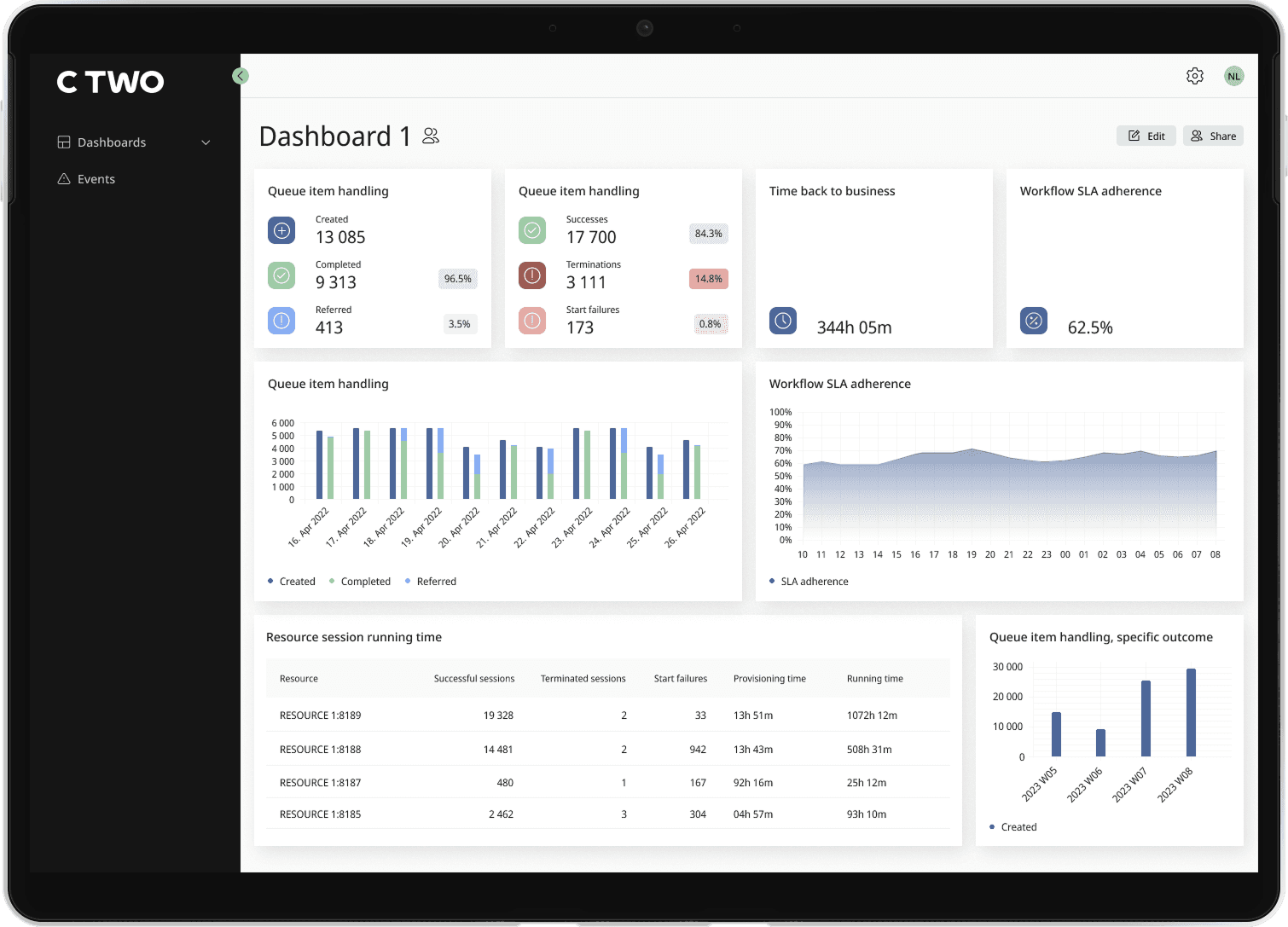
RPA Aggregator Dashboard
Designed an enterprise-grade dashboard that aggregates multiple RPA orchestrator instances into a single control and monitoring layer.
The product is aimed at large organisations running RPA across multiple departments or business units, where visibility is fragmented across separate orchestrator environments.
Role
UX/UI Designer
Team
PO, Engineering team, Designer
Tools
Figma, Miro, Jira
Problem
In large enterprise RPA setups, automation is typically distributed across multiple orchestrator instances—often split by department, geography, or function. This creates fragmentation at the operational level:
- No single view of system health across environments
- Difficulties correlating issues between instances
- Manual switching between dashboards to diagnose problems
Design challenge
Centralized system visibility
RPA experts need to understand system health across multiple orchestrator instances without switching between tools.
Fast issue detection
Users should be able to quickly identify and investigate operational issues across environments.
Controlled environment access
The system must clearly define which users can access which environments within the aggregator.
Clarity in dense interfaces
The interface needs to present large amounts of data in a way that remains easy to scan and understand.
Solution overview
We designed a product that brings multiple RPA environments into one place so users can monitor, filter, and manage them without switching between systems. It is made up of four main parts:
- Multi-instance connection & authentication layer
- Dashboard with aggregated data and filters
- Event monitoring
- User & permission management
Dashboard
One of the main challenges with designing the dashboard was dealing with the volume of data. Different users needed different metrics, and a fixed layout would not work for everyone.
Instead of trying to prioritise a single “perfect” view, we focused on giving users control over what they see.
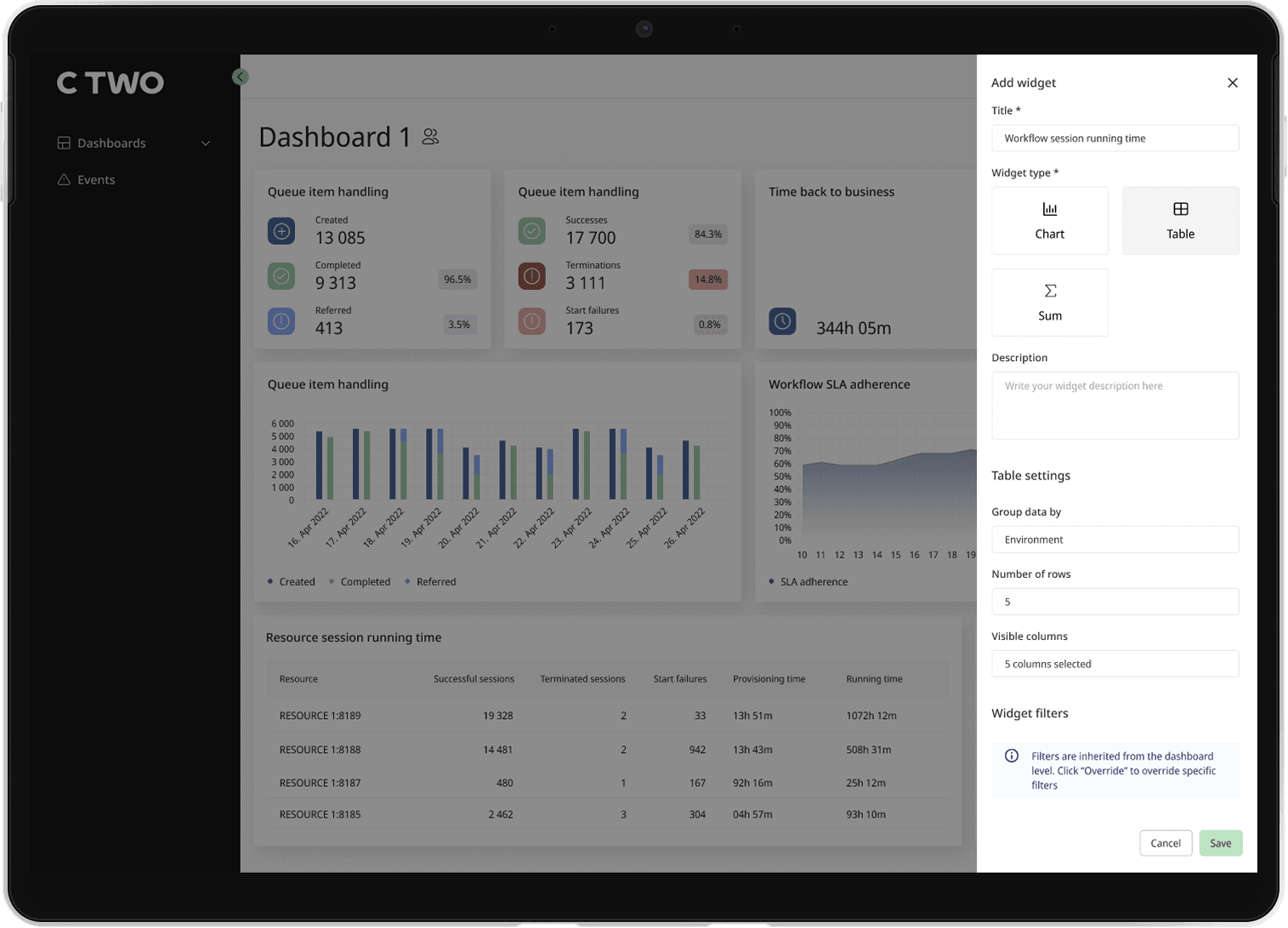
Flexible Widgets
Users can build their own dashboard by adding widgets based on their needs. Available options included charts, tables, and sum widgets, allowing them to tailor the view to their role or workflow.
Custom Layout
Once added, widgets can be rearranged and resized directly within the dashboard. This made it possible to structure information in a way that feels natural, whether prioritising key metrics or organising supporting data around them.
Grouping and comparison
To support deeper analysis, users could group widgets by theme. A common use case was comparing data across time periods, such as this month versus last month, within the same view.
Event page
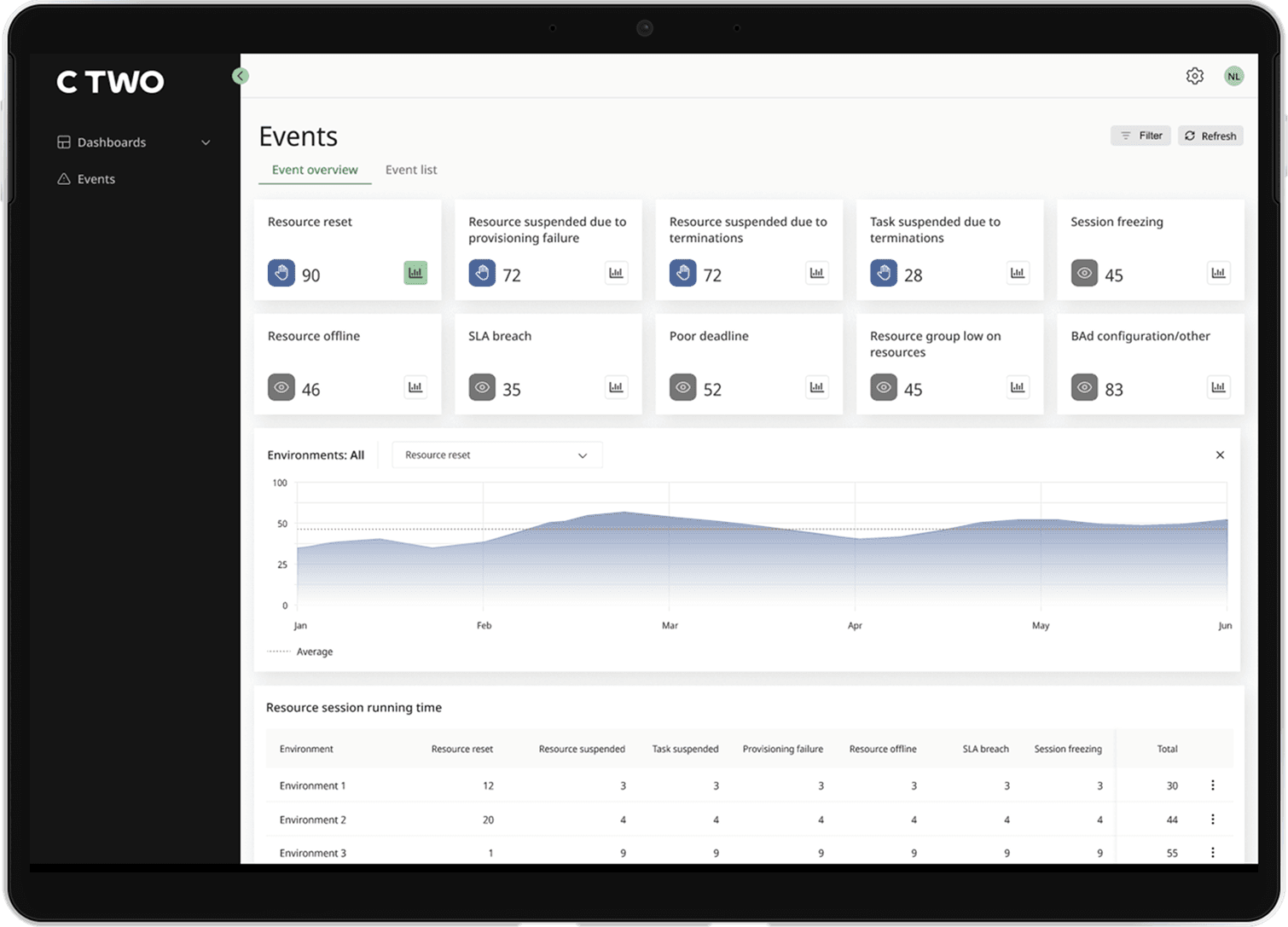
The Event page aggregates events from multiple RPA orchestrator instances and presents them in a single view. It includes widgets, trend charts, and a breakdown per environment, allowing users to understand system activity across all connected instances.
The main challenge was handling a large volume of event data and presenting it in a way that remained understandable at a glance.
Usability testing
To make sure that data was easily understandable, we ran usability testing focused specifically on the Event monitoring page.
Setup
6 Participants
We conducted 6 individual sessions with internal participants who had varying levels of RPA knowledge but had not worked directly on the feature.
Figma prototype
Participants were given a Figma prototype and asked to explore the page while thinking out loud, sharing what they understood and where they felt uncertain.
What We Learned
- Overall, users were able to navigate the page and understand system events without major issues.
- The main point of confusion was around filtering—users struggled to understand how filters worked and how to combine them effectively.
Based on this, we simplified the filtering experience to make it more predictable and easier to use. The final design made it easier for users to scan system activity, understand trends, and navigate event data across multiple environments without feeling overloaded.
Connections
Connecting an RPA orchestrator instance to the aggregator required a multi-step setup across two separate systems.
- 1.Generate a connection string in the aggregator
- 2.Log into the orchestrator and register the connection
- 3.Return to the aggregator to authenticate and complete setup
The challenge
The multi-step setup introduced two key challenges:
Fragmented flow
Users had to switch contexts multiple times
Distributed responsibility
Different people could complete different steps
Design Approach
Since the flow itself could not be reduced, the focus shifted to clarity over simplification. We treated the setup as a guided process rather than a single action:
Contextual helper text
Each step included precise instructions on what to do, where to do it, and what to expect next. Instructions were written so that someone unfamiliar with previous steps could still complete their part.
Cross-system clarity
Wording made it explicit when users needed to switch to the orchestrator and return.
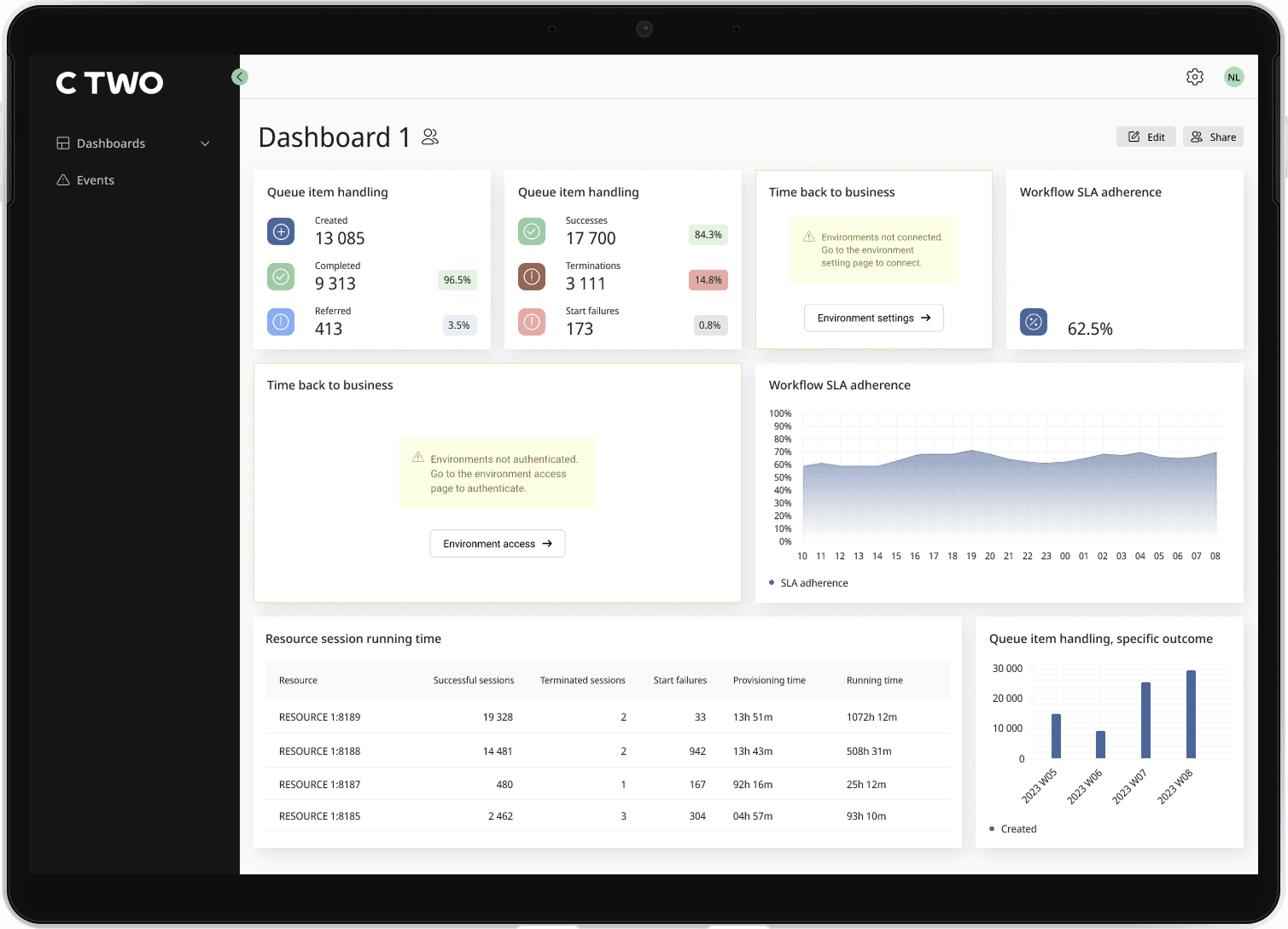
Clear error messages
If a connection was incomplete or misconfigured, dashboard widgets displayed clear error states instead of failing silently, explaining why data was unavailable and what the next steps were.
Reflection
I worked on this product through the MVP stage, focusing on shaping the core experience and structure.
The project highlights my ability to design within complex system constraints, organise large amounts of data, and create interfaces that remain understandable for expert users.