Store Scheduling Redesign
Redesigned an existing scheduling interface used by store and marketplace admins to configure opening hours, handle exceptions, and ensure accurate order and delivery orchestration across stores.
Role
Product designer
Team
Frontend developer, QA
Tools
Figma
Problem
The initial goal was to improve the usability of the scheduling page and align it with the structure of other parts of the product. However, conversations with users revealed deeper issues around visibility and control that impacted day-to-day maintenance.
No visibility into schedule usage
Admins had no way to see whether a schedule was currently in use. This made it difficult to safely update or delete schedules, often leading to hesitation or unnecessary caution to avoid breaking store operations.
No overview of store assignments
It was not possible to see which stores were assigned to a schedule. To understand dependencies, admins had to manually check individual store settings, making schedule management time-consuming and error-prone.
Approach
Before moving into design, I focused on understanding the underlying issues behind the current experience. The goal was not just to improve the interface visually, but to address gaps that affected how schedules were managed in practice. To do this, I approached the problem from two angles:
Understanding the scheduling context
I reviewed how scheduling fit into the broader system—where it was used, how it connected to store configuration, and how it impacted downstream processes like order handling and delivery. This helped clarify what information needed to be visible and what actions needed to be safe and predictable.
Talking to users
I spoke with a marketplace admin who regularly works with schedules to understand their day-to-day tasks and pain points. This helped uncover practical issues, such as the lack of visibility into schedule usage and assignments, and provided insight into how the feature was actually used in real scenarios.
Solution
Flexible hour selection
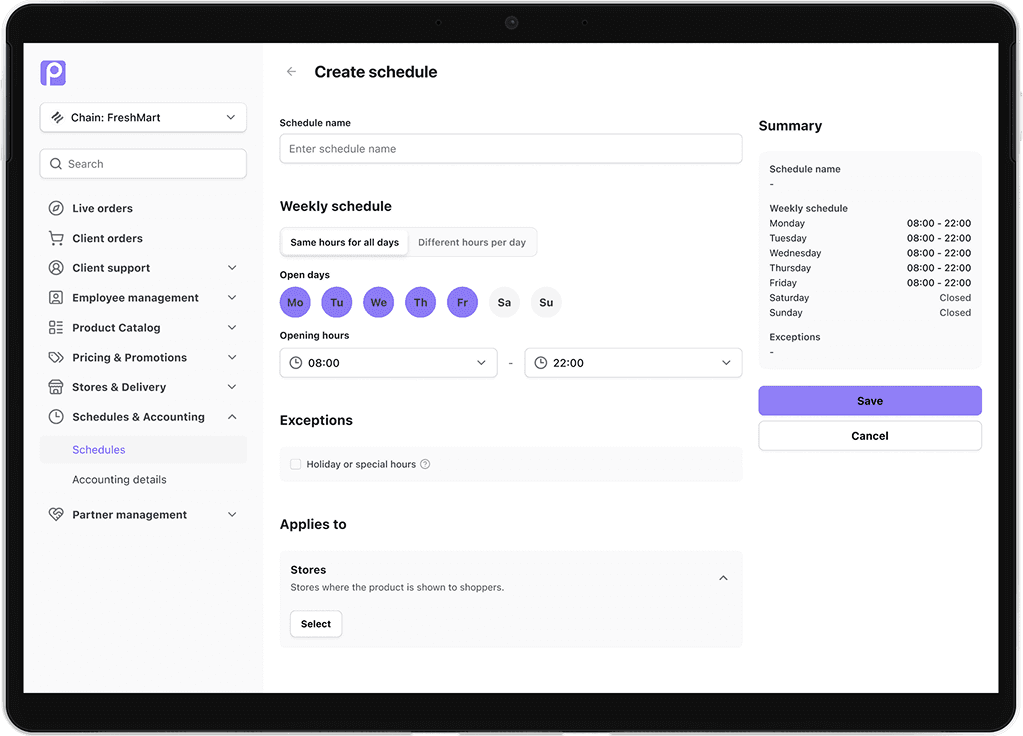
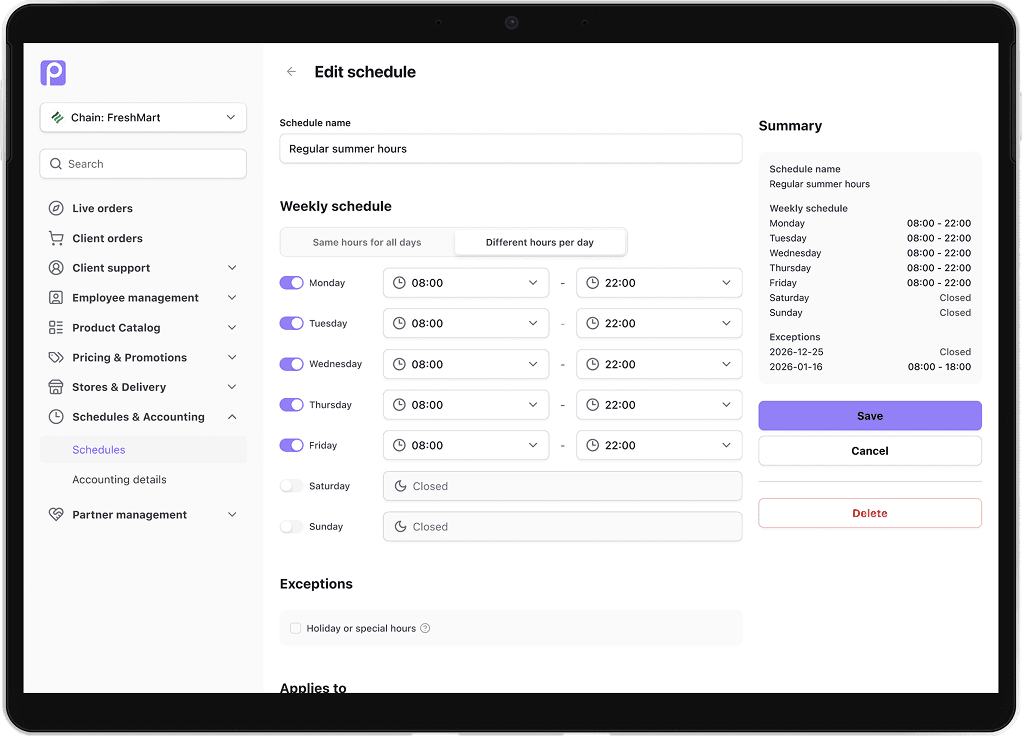
To simplify schedule setup, I introduced two ways of defining opening hours: applying the same hours across all days, or configuring each day individually.
In a user interview with a marketplace admin, it became clear that most stores operate with consistent hours throughout the week. Based on this, the default option allows users to set opening hours once and apply them to all days, reducing repetitive input and speeding up initial setup.
For stores with varying hours—such as different weekend schedules—users can switch to a per-day view and adjust each day individually. This is handled through a tab-based layout, allowing users to easily toggle between a simplified “all days” view and a more granular per-day configuration.
Exceptions
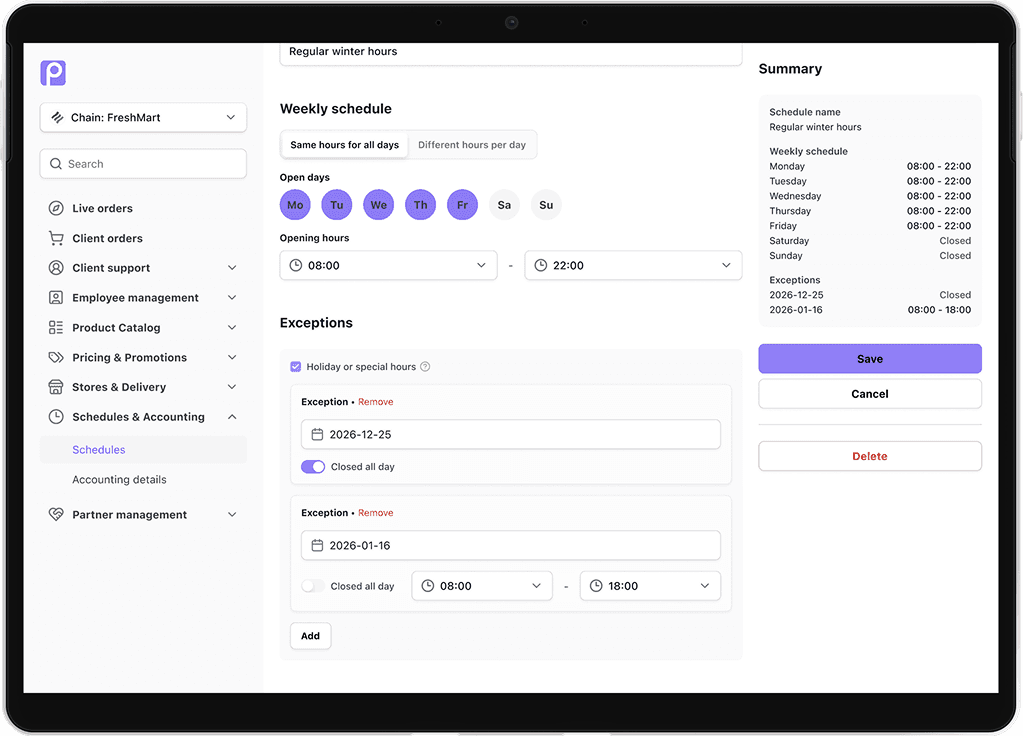
To handle non-standard operating days, I introduced a dedicated exceptions section that allows admins to override regular schedules.
Users can either close the store entirely for a selected day or define custom opening hours. Based on insights from the user interview, adding custom hours is more common than fully closing a store, so this option is set as the default.
Store assignment visibility
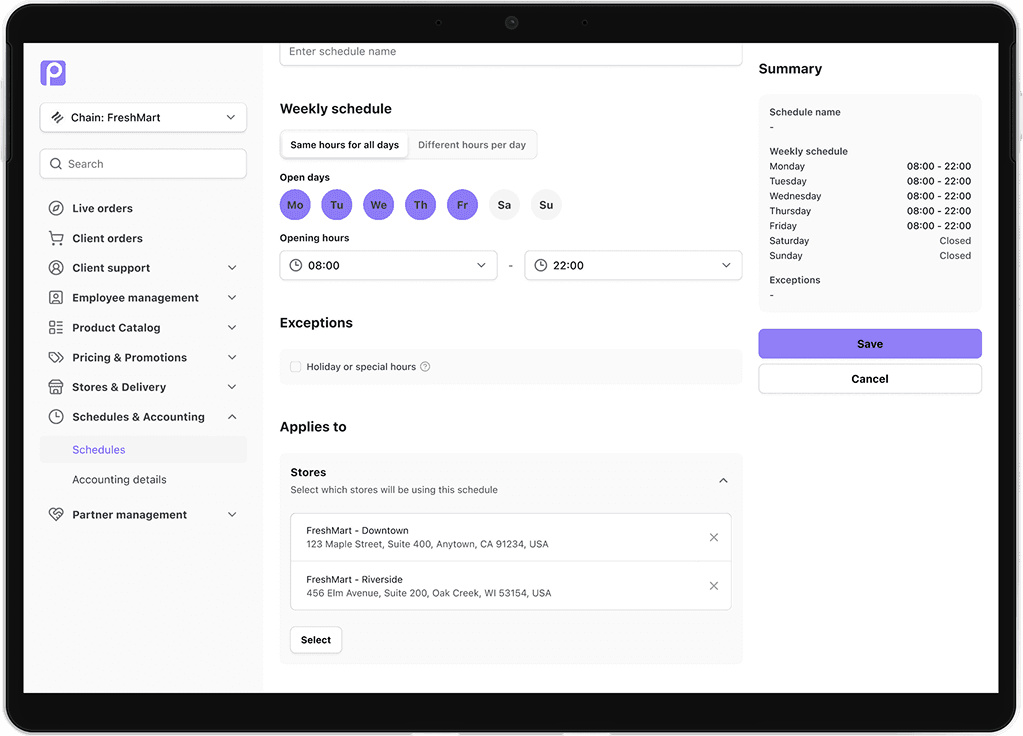
To address the lack of visibility around schedule usage, I introduced a dedicated section within the schedule detail view where admins can assign the schedule to stores and see all current assignments in one place.
This allows users to manage assignments directly, without needing to navigate to individual store settings, and provides a clear overview of where the schedule is being used.
In addition, the schedule overview page includes a usage column showing how many stores are assigned to each schedule. This makes it easy to identify unused schedules and safely delete them either from the overview list or within the schedule detail view.
Reflection
This project started as a UI improvement but evolved into addressing deeper issues around visibility and control. It reinforced the importance of understanding how features are used in practice, especially in systems where small changes can have wider operational impact.
Although the redesign was not implemented during my time on the project, it provided a more robust foundation for managing schedules and reducing friction in day-to-day workflows.